
I'll be honest: I was reluctant to do this.
I’ve lived in the Google Workspace ecosystem for years, and more recently with Ramp Revenues, where setting up a professional domain and getting email authentication right is a five-minute victory lap.
But as I build out Tower CRM, I have to face reality: the B2B market is a 50/50 split. A massive portion of my customer base is (unfortunately) entrenched in legacy Microsoft environments. If I’m going to build a product that flawlessly handles email sync, calendar connections, and deliverability across both ecosystems, I needed to walk in their shoes.
I survived the “onboarding,” but only after a fucking brutal afternoon of manual DNS surgery, vanishing menus, and battling the enterprise machine. Here is the post-mortem of why Microsoft 365 is the final boss of IT administration for small businesses.
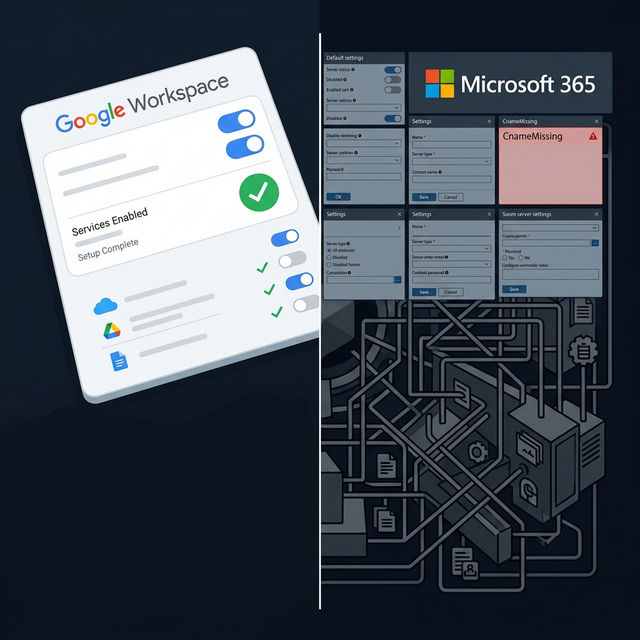
The Microsoft 365 “Gauntlet”
Choosing Microsoft for Tower CRM felt like walking into a maze where the walls are made of legacy enterprise logic. Here are the specific roadblocks that turned a simple setup into a total grind:
The ".onmicrosoft" Identity Trap
Microsoft forces you to start with a confusing .onmicrosoft.com account. This "fallback" domain is a permanent fixture that leaks into your email headers if your configuration isn't perfect, making your professional brand look like a temporary trial.
The "New User" Misdirection
Many online guides suggest that the fallback address is sacred and must be preserved. Following that advice, I created a second, separate user for my custom domain. This was a massive mistake that only led to immediate account conflicts and licensing billing confusion.
The Secret Sign-On Swap
The "correct" way is changing your User Principal Name (UPN). But the guides forget to mention the most critical part: you have to perform a "nuclear" sign-out across all devices, clear your local cache and cookies, and log back in for the system to actually recognize your new identity.
The Vanishing Admin Center
Just as I changed my sign-in name, my emails stopped working. I went to fix it, but the Microsoft 365 interface toggled to a "New Experience" midway through. Suddenly, the Exchange Admin Center—where actual mail routing happens—vanished from the sidebar entirely, leaving me hunting through legacy menus to find my DNS settings.
The Final Boss: DKIM and Aliases
Even with the right domain name configuring, I was still hitting spam folders.
It took a mountain of research and AI help to realize my DKIM wasn’t signing correctly and my support@ address was stuck as a “personal alias”. To actually fix the branding and deliverability, I had to delete the alias entirely and build a Shared Mailbox from scratch just to get a professional “From” name to display correctly to my users.
My Advice: Stay Away if You Can
After this experience, my advice for small businesses—and honestly, all businesses—is simple: Stay away from Microsoft if you have the choice.
If you aren’t forced into it by a specific legacy requirement (like a strict enterprise procurement team), don’t do this to yourself. Google Workspace is built for the modern web; Microsoft 365 is built for a 1990s server room that someone tried to drag into the cloud. Unless you have a dedicated IT department or a masochistic streak, save your sanity and go with Google.
The Reality Check
| Feature | Google Workspace | Microsoft 365 |
|---|---|---|
| Setup Time | 5 Minutes | 5 Hours (minimum) |
| UX & Navigation | Intuitive & Consistent | Fragmented & Changing |
| Support Identity | 30-second Alias | Multi-step Shared Mailbox |
| Sanity Levels | High | Fucking Brutal |
The Verdict: Was it Worth It?
Microsoft 365 is built for companies with 50,000 employees, which means even a one-man shop has to navigate 50,000-employee logic. It treats a simple support email like a massive organizational object with its own deeply nested permissions and delegation rules.
The Silver Lining?
Now that the pipes are finally cleared, Tower CRM has a “perfect” technical score. My SPF, DKIM, and DMARC are all green, and I’m running a multi-identity support desk for a single $6/month license.
.onmicrosoft leak. Tower CRM's email and calendar integrations will be exponentially better for it, even if I have a few more grey hairs today.Free Microsoft 365 Deliverability Checklist
Don't want to spend 5 hours figuring this out? Download my exact step-by-step checklist to configure M365 for perfect cold email and CRM deliverability.
Download Checklist (PDF)